This tutorial is intended to help users submit a radioactive materials requisition in EHSA. Any time you want to order new radioactive material, a requisition request is required to be submitted so that Radiation Safety can verify it is authorized by a Permitted Individual's permit limits. It also lets Radiation Safety know when to expect a package delivery so that we can transport it to you on campus.
Steps
- Login into EHSA.
- If you're a first time user, click here to find a guide on how to get registered on EHSA.
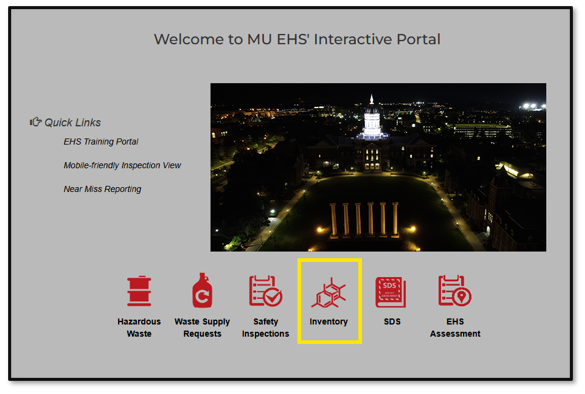
Click on the "Inventory" icon.
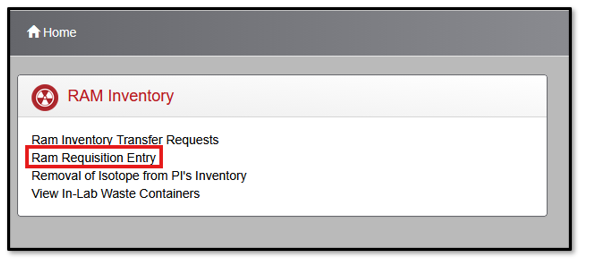
Click on "Ram Requisition Entry".
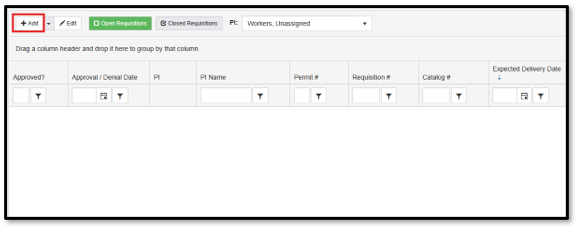
Click the "+Add" button.
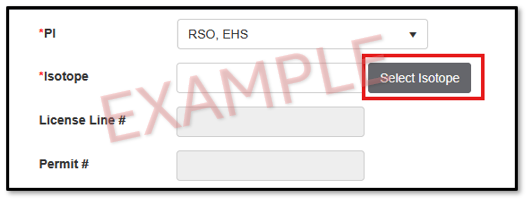
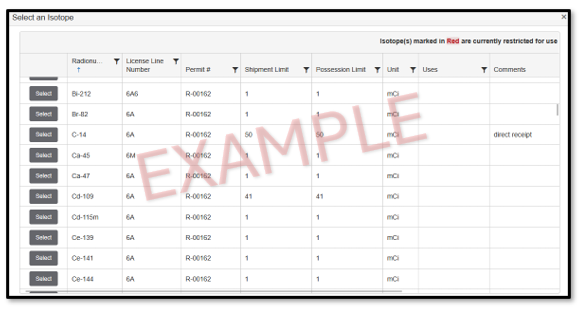
Select which isotope you are ordering.
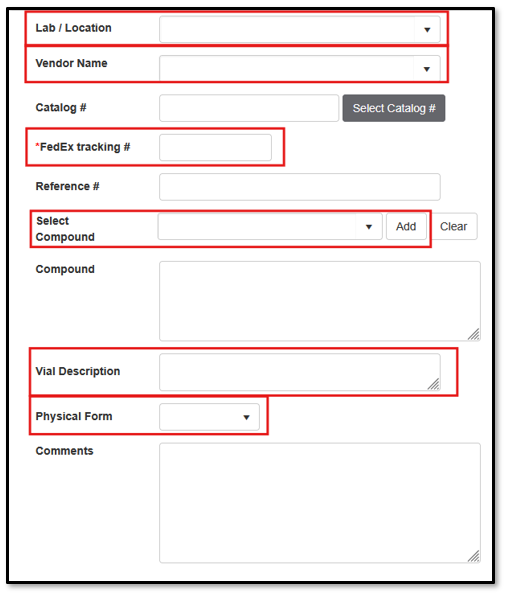
- Fill out the following fields:
- Lab/Location
- Vendor
- Order #
- Select compound (click "Add" to add compound)
- Vial description
- Physical form
Any additional comments
- Fill out the order detail section.
- Add requisition date.
- Require by date.
- Add # of units
- Add activity per unit in mCi
- Add total order amount
- Fill out contact information.
- Please make sure to provide a telephone number so that Radiation Safety can contact you when we are delivering the package.
- If there are any additional materials, please add them to "Requisition Documentation" (examples include any additional order paperwork the company gave you).
- To add documentation, click the "+Add" button".
- Upload the document.
- Select today's date.
- Click "upload".
- Click "Save".
- Your RAM requisition has now been submitted to Radiation Safety for approval.
- IMPORTANT: if there are any changes to the order, such as an updated delivery date, please contact Radiation Safety with new information.