This tutorial is intended to help users submit a RAM waste pickup request in EHSA. RAM waste containers are required to be picked up within 12 months of their open date.
Submitting a RAM Waste Pickup Request
STEPS
- Before you submit a request, verify that the container has been properly sealed and is ready for pickup.
- Instructions on sealing a container can be found here.
- Login into EHSA.
- If you're a first time user, click here to find a guide on how to get registered on EHSA.
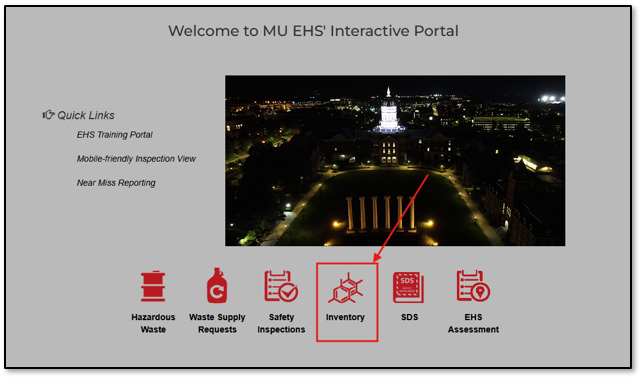
Click on the inventory icon.
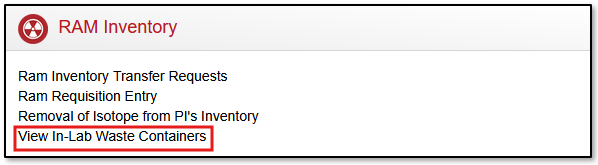
Click on "View In-Lab Waste Containers".
- Double click on the container you would like to request a pickup for.
- Add chemical constituents by clicking the "+Add" button.
- Fill out the applicable sections and click "Save".
- Once all chemical constituents have been added, click "Save".
- Once back on the in-lab containers page, click the green "Seal" button.
- Select the date it was sealed and then click "Seal".
- Click "Request Pickup".
- Enter any relevant comments, such as where the waste is physically located in the lab.
- Click "Yes".
- Confirm that the container now says "Unseal" and "Request Received".
- You have now submitted a pickup request in EHSA! Someone from EHS will stop by to pick up the waste.